
Organic Search Visibility, Measured with Real Data.
Selected Search Console snapshots reveal how visibility, click trends and search demand can be monitored across different SEO properties.
Discuss an SEO projectSearch performance, visible in real reporting data.
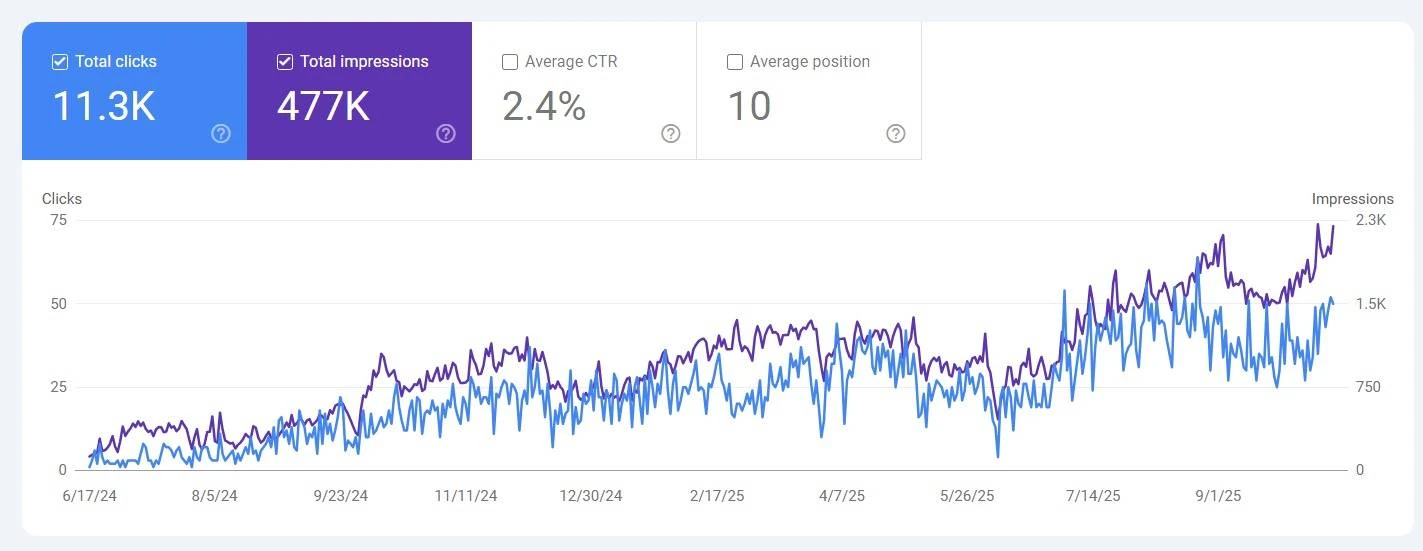
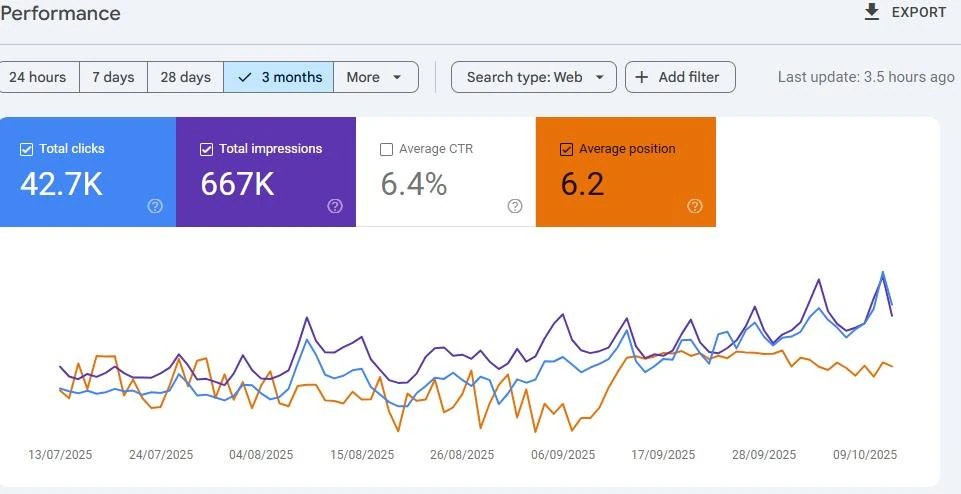
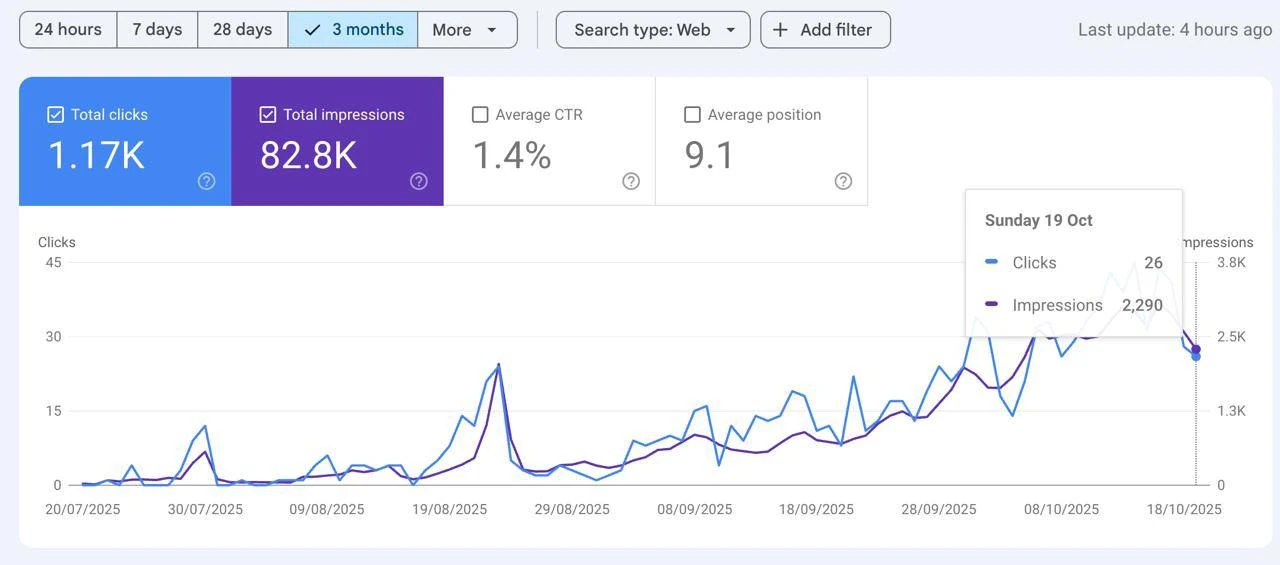
The supplied Google Search Console screenshots are from multiple properties and reporting periods. They demonstrate hands-on performance monitoring of search impressions, clicks, click-through rate and average position. They are presented as independent examples, not one combined client result or proof of a specific percentage lift.
Organic search clicks
Use search click trends to evaluate how often users reach a site from Google Search.
Search impressions
Track how frequently pages appear in search results across queries and dates.
CTR and average position
Monitor relevance and ranking signals to prioritize further investigation.
Three reporting examples from separate search properties.
Each screenshot below is a standalone Google Search Console performance view. Figures must not be added together or treated as the before/after of one website.
From dashboard signals to SEO priorities.
Track the right metrics
Review queries, pages, clicks and impressions across a consistent reporting window.
Investigate opportunities
Identify pages with visibility but weak click-through, unstable trends or ranking potential.
Connect insight to action
Use report findings to prioritize content improvements, technical fixes and iterative measurement.
Need clearer organic search reporting?
Explore practical technical SEO, search visibility monitoring and content optimization with TechToTab.